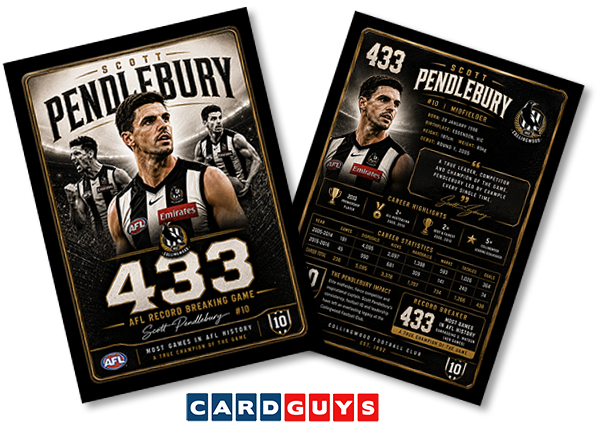
The problem with AI generated trading cards
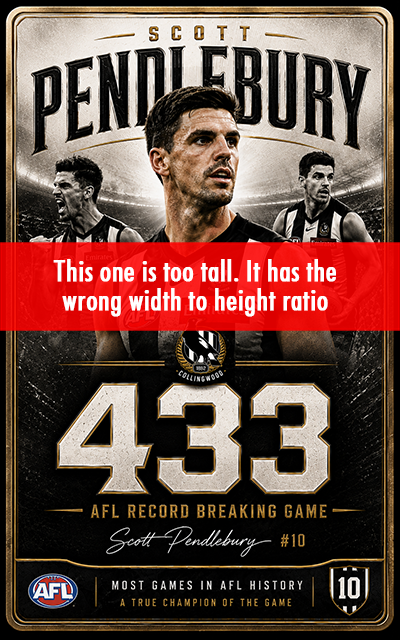 We are starting to receive AI-generated card designs to print almost every day. They usually look amazing at first glance, but honestly, around 98% of them still need adjustments before they’re actually ready for print.
Most of the time, the issue isn’t the artwork itself — it’s the sizing and proportions.
The files are often created too large, which is easy enough to resize. The real problem is the width-to-height ratio usually isn’t correct for a trading card.
I think what’s happening is people are asking AI to “design a trading card” without giving it the correct shape and sizing instructions.
We can normally adjust the width to the correct size and add bleed where needed, but the height is often too tall. Even when it’s close, it can leave uneven borders around the card — for example:
- 3mm borders on the left and right
- but only 1.5mm or 4.5mm at the top and bottom
That creates an uneven border on the finished product.
The Solution
I decided to put my printing and card-making knowledge to the test and see if I could get ChatGPT to generate a properly proportioned trading card from the start.
I used the AFL topic of the week - creating a Scott Pendlebury card to celebrate his 433rd AFL game. An incredible achievement, although this was more about testing card creation than celebrating Pendles himself. I’ll leave that part to the Pies fans.
Here’s the simple breakdown.
Understanding Card Sizes
The full print size of a trading card design is:
- 69mm wide x 94mm high
This includes the bleed area.
The actual finished card size after cutting/trimming is:
- 63mm x 88mm
The extra 3mm around each edge is called the bleed.
Bleed is important because cards are cut after printing, and trimming is never perfectly exact. The bleed gives a little safety area so you don’t end up with white edges after cutting.
- Final card size = 63mm x 88mm
- Add 3mm bleed on all sides
- Total artwork size = 69mm x 94mm
That means the important content - the “guts” of the card - needs to sit safely inside that space.
What Finally Worked
After a bit of trial and error with ChatGPT, I realised the key was not asking AI for the final print dimensions.
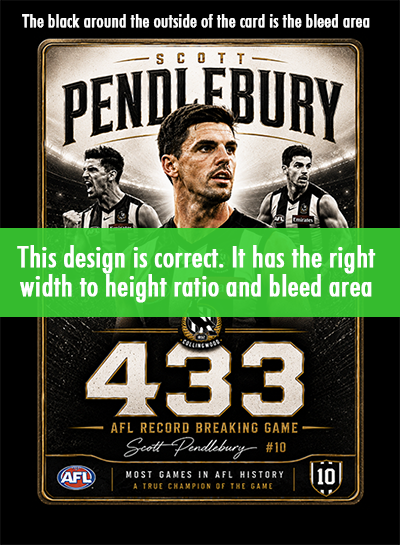
Instead, I asked it to design the card using the correct aspect ratio for the main artwork area and add the bleed.
This was the prompt that worked:
“Hey Chat, can you design a trading card to celebrate Scott Pendlebury’s 433rd AFL game. Make the design in a 1:1.42 ratio.Add a 12% bleed in black around each of the 4 sides.”
That was the breakthrough.
The important parts are the 1:1.42 ratio and the 12% x 4 sides for the bleed.
In simple terms:
- the height is 1.42 times the width for the main content (or guts) of the card.
- when the margin and bleed is added around the outside of this, the proportions match what is needed for a proper trading card layout..
Once I did that, the designs started coming through correctly proportioned and much easier to prepare for print.
The Best Prompt to Use
ChatGPT actually suggested an even better version for future designs:
“Design a trading card for (insert required purpose here) at a 1:1.42 aspect ratio. Keep all important elements within a central safe area. Add a 12% (add colour here) bleed around each of the 4 sides.”
And honestly, that’s probably the best way to do it.
Final Thoughts
So there you go - we might have solved one of the biggest issues people run into when using AI to create trading cards.
The AI itself is getting better every week. The missing piece has mostly been understanding the correct proportions and print setup.
Hopefully this helps a few people save time and frustration when creating their own cards with AI tools.
Let us know how you go, and we’ll keep updating this info as AI continues to evolve.
And... NO! we won't be distrubuting this card, it is for education purposes only.